

When you’ve completed or revised a technical illustration it usually requires publishing, for example in a web environment. Traditionally, many companies and organizations will deliver using different media, paper, PDF and electronically in a web browser. The benefit of CGM, it can be used in all these media types, however, SVG is specifically designed to be published in a web browser. This article will focus on the web display of graphics.
The display of CGM in a web browser has been dependent on a plug-in technology, for example, ActiveX. For many companies delivering Interactive Electronic Technical Manuals (IETM’s), this is becoming a big problem. The web browser developers, for example, Microsoft are dropping support for plug-ins in their Edge product.
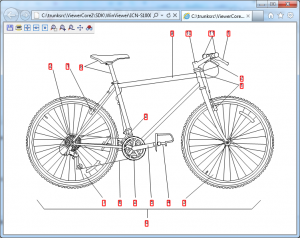
The big question, what do we do to solve the issue, convert to another format or try and retain the CGM files? If the CGM files do not include hotspot information, then you could consider going to a raster format such as JPEG. I would advise you retain your CGM archive for revision purposes. If the CGM file does contain hotspots then your choice becomes more difficult, probably the best answer is to retain the CGM. The other option will be to convert to the SVG format, SVG can retain the hotspot information. However, there will be some work involved, you will probably need to build control interface to interact with the SVG. It is also possible that you will have to devise a linking mechanism between the text and graphics. As with the raster option, I would advise you to retain your CGM files. SVG’s are currently are not particularly interoperable, due to the lack of control when exporting.
If you prefer to retain your CGM’s, Larson has developed a technology, VizEx View HTML5. The technology will enable you to view your CGM’s in multiple browsers without a plug-in.

In conclusion, you have several options to display your technical illustrations in a web environment. In Part 5, the final installment we will summarize, and provide some thoughts for the future.

